Documentación
Ayuda y manual
Quien opera un servidor en su propia casa quiere saber en qué se mete. Por eso todo está a la vista — sin cuenta, sin registro.
Bienvenido a la ayuda central de AnnexGroup. Los documentos aquí sirven por igual a usuarios, administradores y desarrolladores, y se actualizan con cada versión.
Inicio rápido
- Instalación
- Primeros pasos tras la instalación
- Panel y supervisión
- Buzones de correo y carpetas
- Calendario e iMIP
- Contactos, calendarios y tareas
Administración
- Gestión de usuarios y dominios
- Asistente de configuración (Admin-Wizard)
- Ajustes de seguridad
- Copias de seguridad y restauración
- Migración desde Exchange
- Archivado y RGPD
- Reglas de transporte
- Cumplimiento y eDiscovery
- Gestión de licencias
Para desarrolladores
¿Falta algún tema? Comuníquelo a través de la página de administración o de su interlocutor habitual.
Inicio rápido
Buzones de correo
Cada usuario dispone de un buzón personal con carpetas estándar. A través de la interfaz web puede leer, redactar, mover, eliminar y marcar correos. Carpetas…
Calendario e iMIP
AnnexGroup ofrece varios calendarios por usuario. Las citas se pueden gestionar a través de CalDAV o de la interfaz web. Crear, cambiar el nombre y eliminar ca…
Contactos, calendarios y tareas
Además del correo, AnnexGroup ofrece una gestión central de contactos, citas y tareas. Contactos Introducción manual o importación mediante vCard. Exportaci…
Instalación
Esta página le guía desde el archivo descargado hasta el servicio en funcionamiento. A continuación continúe con Primeros pasos. Calcule media hora, si la b…
Panel y supervisión
El panel le muestra de un vistazo el estado actual del servidor y de su comunicación. Cuadros CPU / Memoria / Disco: Carga como medidor y gráfico de líneas. …
Primeros pasos
Tras la instalación de AnnexGroup, configure el primer dominio y la cuenta de administrador con el asistente de configuración. Paso 1: Configuración inicial …
Administración
Archivado y RGPD
AnnexGroup ofrece funciones técnicas para el tratamiento de datos conforme al RGPD. Archivado Archivado automático según plazos de conservación Traslado al …
Asistente de configuración (Admin-Wizard)
El Admin-Wizard en /admin/wizard le guía paso a paso por las tareas de configuración recurrentes. Es especialmente útil tras la instalación inicial, cuando …
Configuración de seguridad
En Administración → Seguridad configura el perfil de seguridad del servidor. Perfiles de seguridad Equilibrado: ajustes equilibrados para el funcionamiento e…
Copias de seguridad y restauración
En Administración → Copia de seguridad puede crear y gestionar copias de seguridad. ¿Qué se guarda? Base de datos MySQL/MariaDB Almacenamiento de blobs (ad…
Cumplimiento y eDiscovery
AnnexGroup ofrece funciones de cumplimiento del lado del servidor para la administración cotidiana: retenciones legales, búsqueda de eDiscovery, journaling y …
Gestión de licencias
AnnexGroup utiliza una gestión de licencias local sin phone-home. La licencia se guarda en el servidor y se valida con una clave pública Ed25519. Licencia de …
Gestión de usuarios y dominios
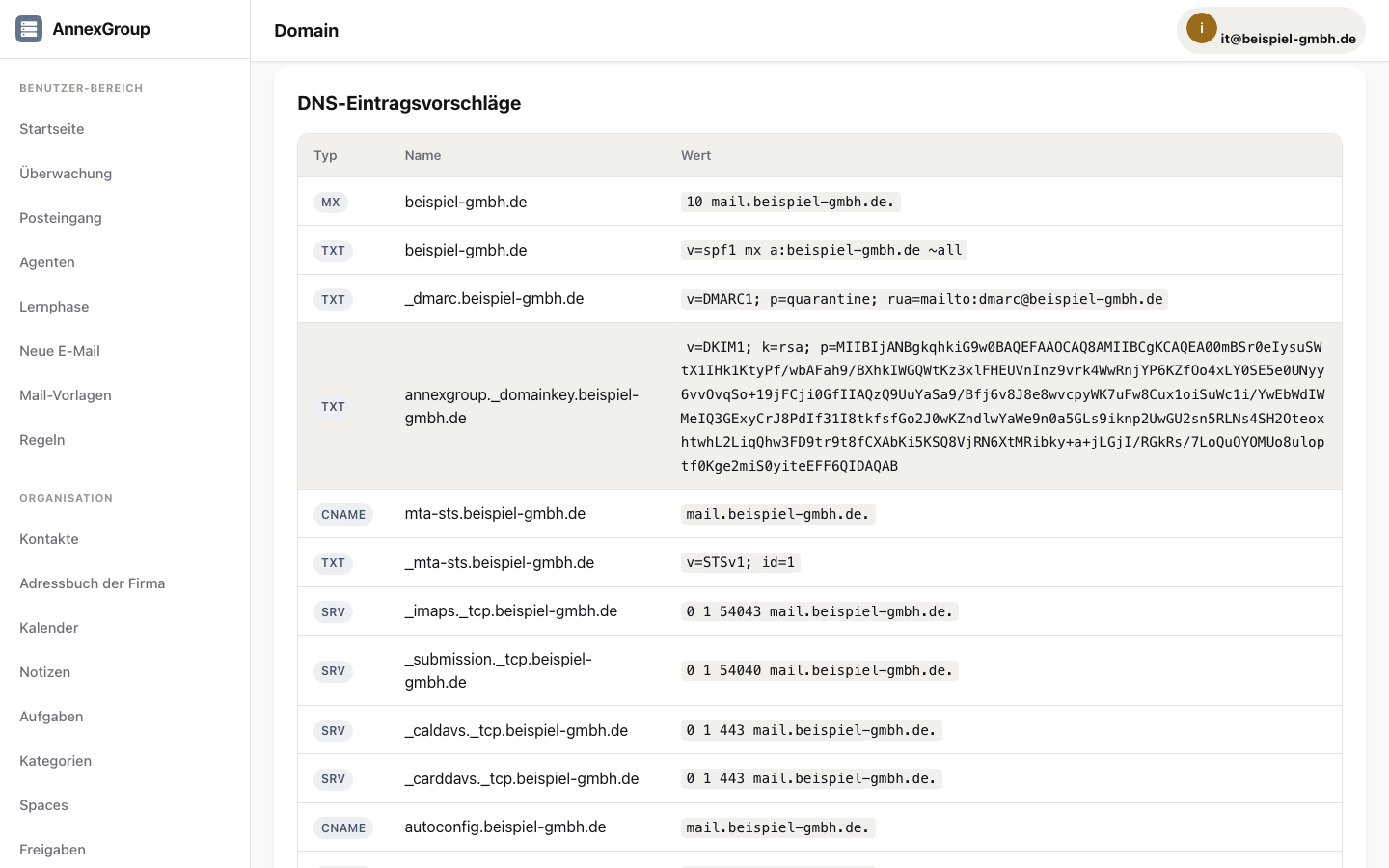
La administración está disponible en /admin. Dominios Cada dominio necesita: Registro MX válido Registro SPF Clave DKIM (se genera en AnnexGroup) Política D…
Migración desde Exchange
El servidor AnnexGroup toma los datos de Microsoft Exchange y Outlook por sí mismo — por regla general en una sola pasada y sin un Mac de por medio. AnnexOff…
Reglas de transporte
Las reglas de transporte permiten a los administradores modificar los correos entrantes y salientes del lado del servidor, antes de que se entreguen o se pongan…
Para desarrolladores
Protocolo AnnexTalk
AnnexTalk es el protocolo abierto de comunicación en tiempo real para agentes, Spaces y mensajería en AnnexGroup. Puntos finales URL base: /api/v1/annextalk A…
Resumen de la API y OAuth
AnnexGroup proporciona una API REST en /api/v1/. Autenticación Cookie de sesión: Para solicitudes de la interfaz web OAuth 2.0: Para aplicaciones de terceros …
Por dónde empezar
Quiere probarlo
Primeros pasos → Asistente de administración. Calcule una o dos horas, la mayor parte esperando al DNS.
Quiere sustituir Exchange
Primero qué cubre AnnexGroup y qué no, después la migración. En ese orden — puede ahorrarle la instalación.
Está en marcha y se atasca
Monitorización y Seguridad cubren los casos frecuentes. Si la interfaz web ya no es accesible, annexgroup restore-backup restaura una copia de seguridad — comprobado para el mismo equipo y la misma base de datos, y en un equipo distinto con una base de datos vacía; el recuento coincidió. Si nada ayuda: escríbanos.
¿Falta algo o está mal descrito? Díganoslo. Su pregunta nos muestra dónde flojea el texto — y esa es la única forma fiable de averiguarlo.