Features
What AnnexGroup brings
The complete overview. What is not included is listed on the page Moving from Exchange — that is where it belongs, because that is where people look for it.
- SMTP with STARTTLS, its own queue and retries with increasing delay
- IMAP with STARTTLS for any mail client you already use
- DKIM signing of outgoing messages, key generation built in
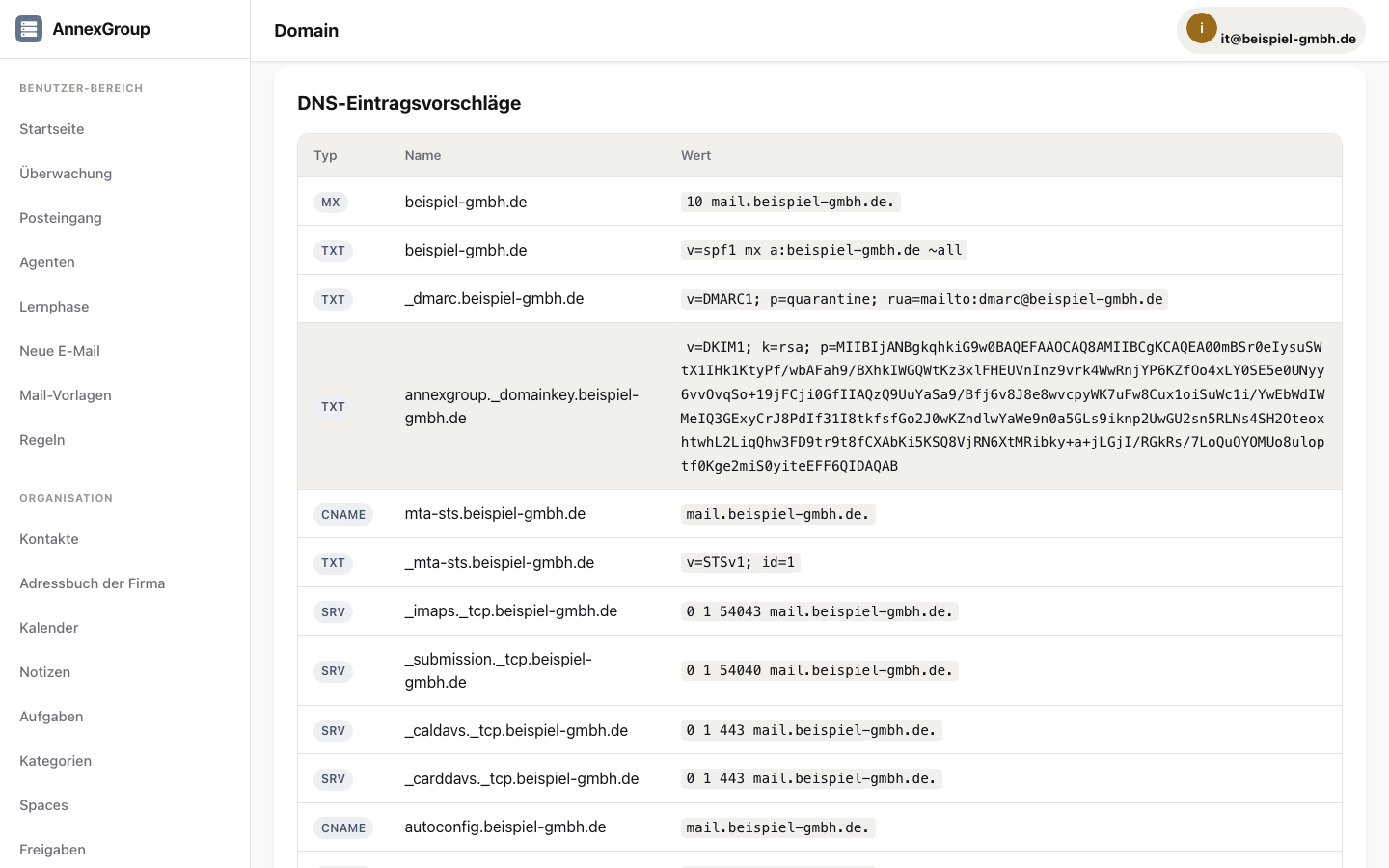
- Suggestions for all required DNS records (A, MX, PTR, SPF, DMARC, DKIM, MTA-STS, TLSRPT)
- Rules that run on the server
- Out-of-office reply and forwarding per user
- Signatures, automatically appended to the text and HTML parts
- Rspamd and ClamAV integration for spam and virus checking
- Non-delivery reports to local and external senders
- S/MIME certificates managed per user
Groupware
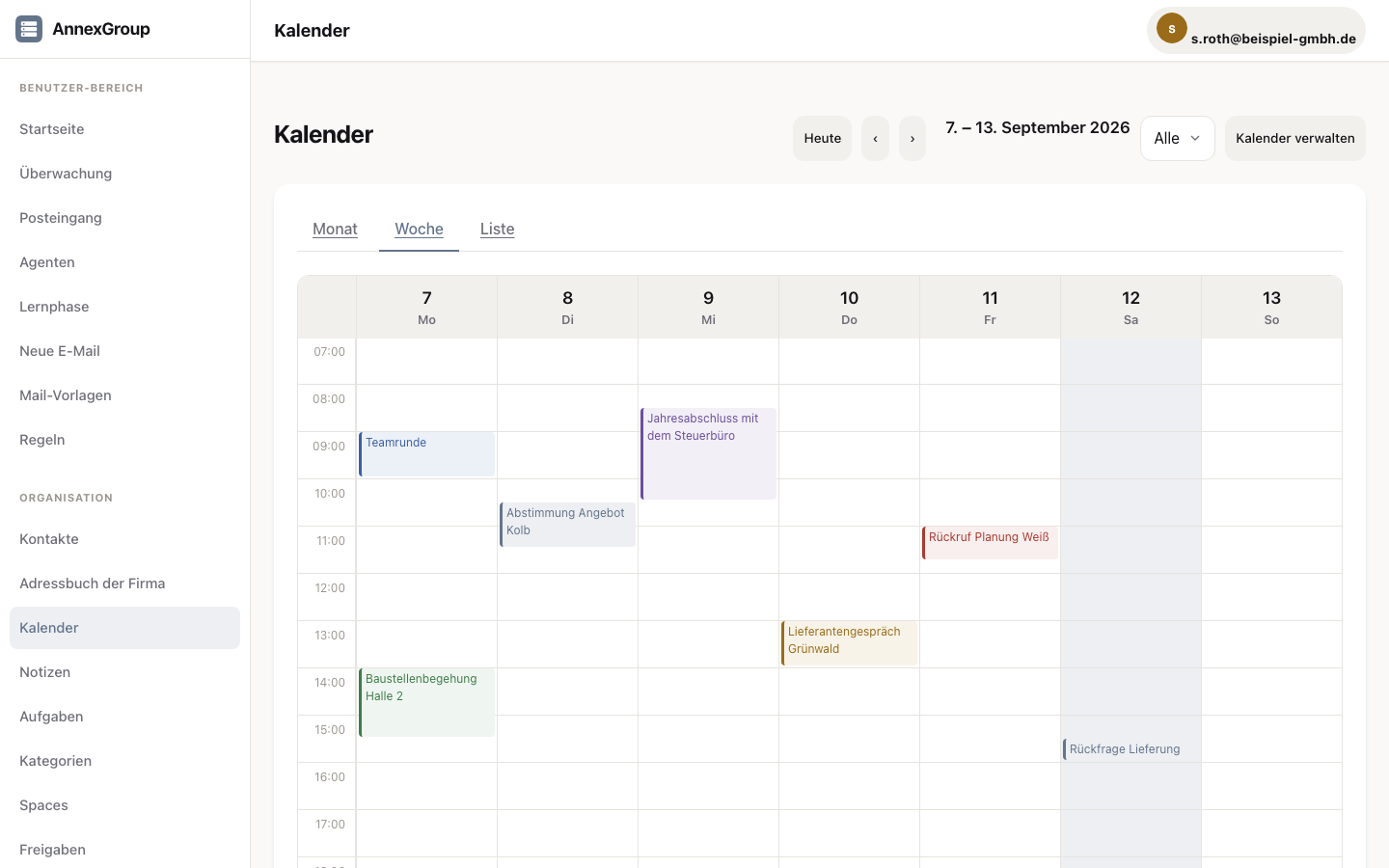
- Calendars with month, week and list views, invitations via iMIP
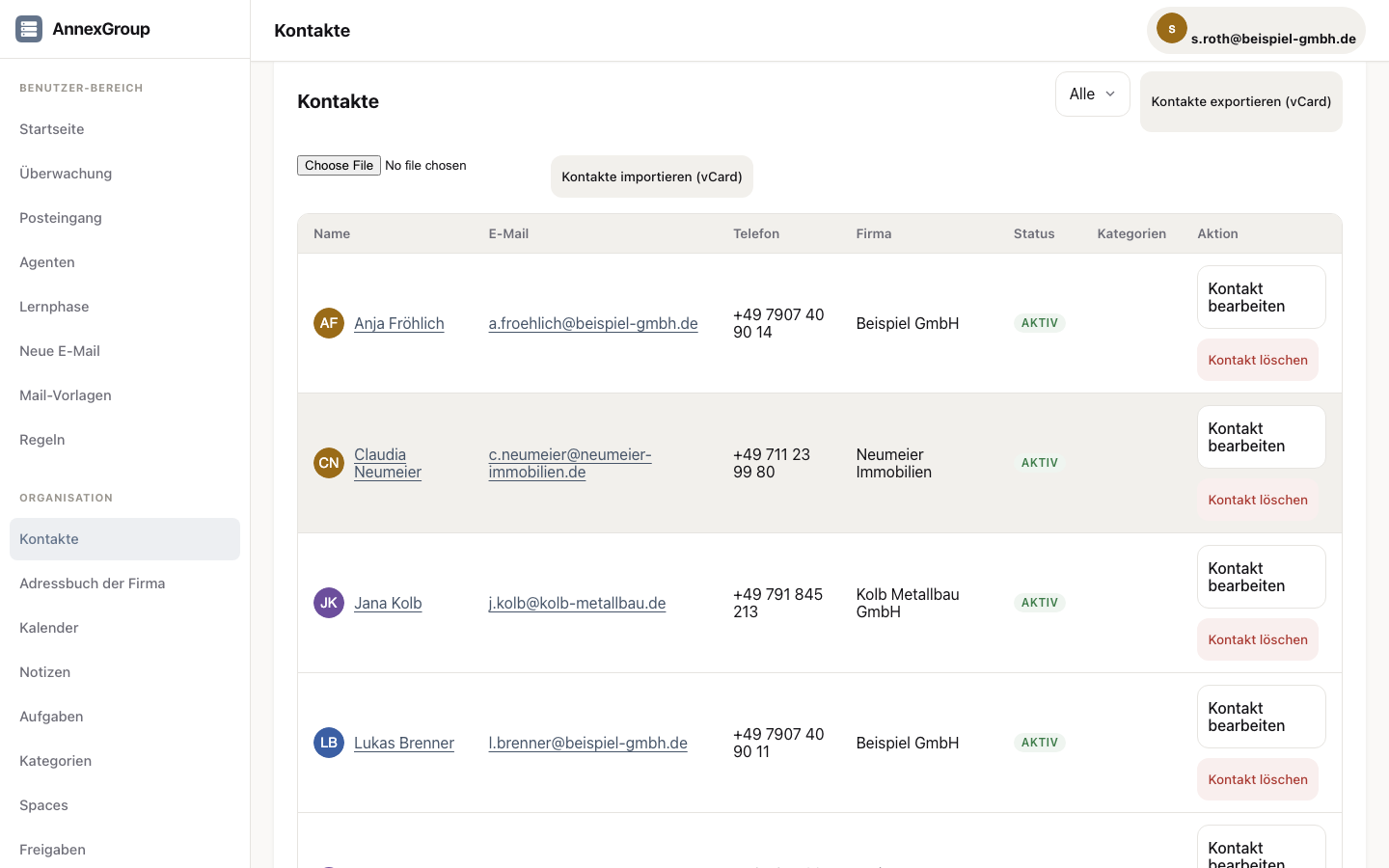
- Contacts with photos, vCard import and export, social network accounts
- Tasks with drag-to-prioritise, due-date warnings, status
- Notes with tags and filters
- Shared spaces for teams — with their own calendar, contacts, tasks and notes
- Sharing between users, read or write
- Colour-coded categories, consistent across all areas
- Full-text search across messages, contacts, notes, appointments and tasks
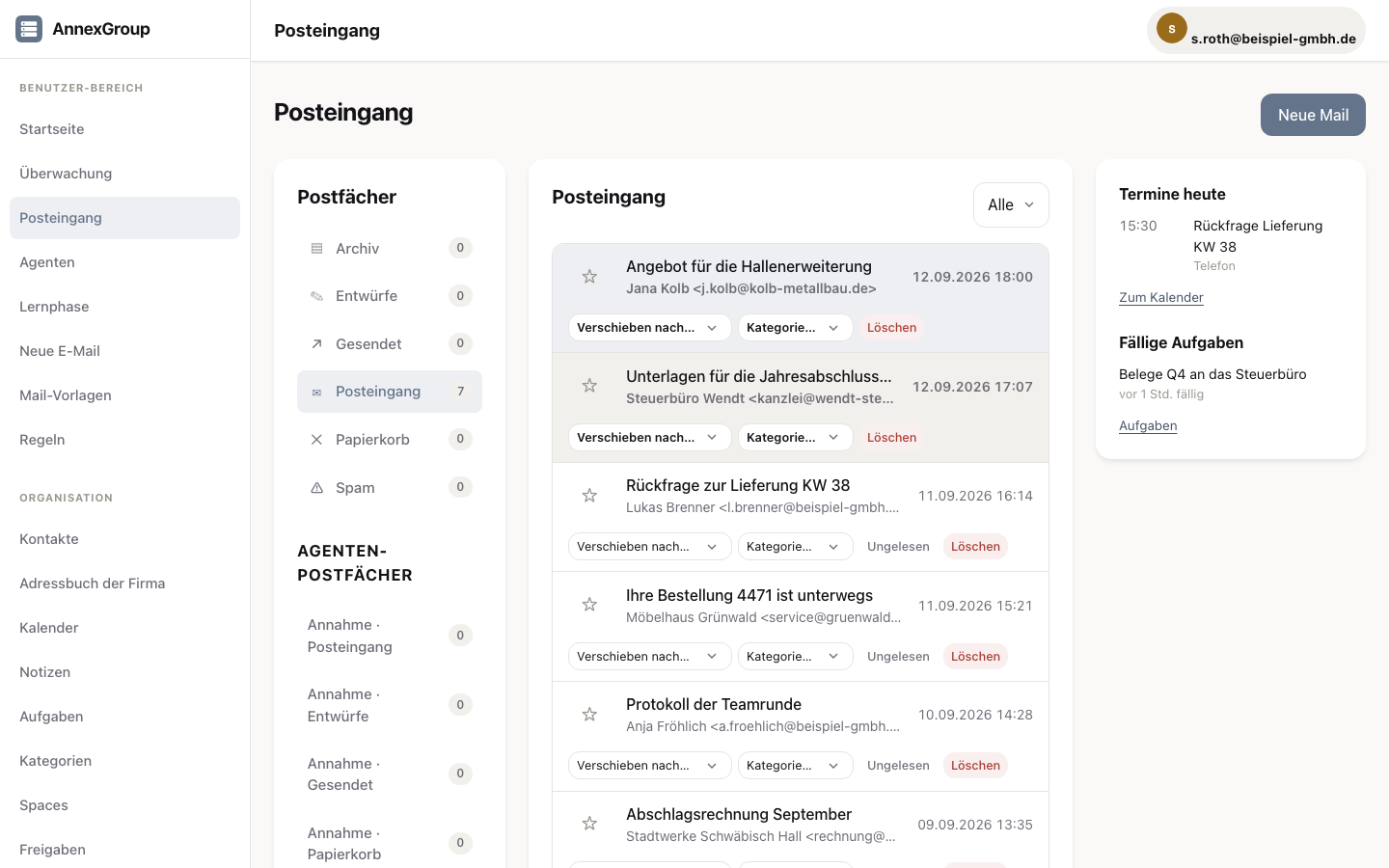
- Smart mailboxes: Unread, Today, Important
Working across server boundaries
- AnnexTalk: short messages and rooms, included in the server
- Federation between AnnexGroup servers — two companies, one conversation
- Transport rules: what may go where, decided centrally
- Shared mailboxes for team addresses such as info@ or accounts@
- iMIP invitations work against Exchange and Google too
Access
- Web interface for all current browsers, light and dark
- Installable on the home screen as a web app, with an offline foundation
- CalDAV and CardDAV for iPhone, iPad and Mac — calendars and contacts set up via
/.well-known - IMAP for Apple Mail, Outlook, Thunderbird and others
- OAuth2 and API keys for your own integrations
- Five languages in the interface, error messages and system mails
“Proven” means: set up and tested on a real device. Proven by name are Thunderbird (set up with a bare address; server name, folders, address book and two calendars arrive via autoconfiguration), Apple Mail (sending, receiving and drafts tested; set-up with a bare address does not work there, the server name has to be typed by hand, after which operation is normal. A packet capture shows why: with a bare address, Apple Mail never queries our server during set-up — with the server name typed in by hand it succeeds. Calendars are found automatically in the process.) Apple Contacts has also set up automatically with a bare address since 1.0.2 — the server adds the domain; proven on a real device: address books and the company directory arrive, and the account is offered as the default for new contacts. Android with DAVx⁵ for calendars and contacts is also proven. Outlook on Windows is also proven — classic Outlook: mail via IMAP, calendars and contacts via the Outlook CalDav Synchronizer add-on (third-party software under AGPL, for which we provide no support). Set-up via /.well-known applies to CalDAV and CardDAV, not to mail set-up. Evolution has also been measured — mail, calendar, contacts and IDLE in its default configuration; the run happened in a Docker container on Apple Silicon, not at a Linux workstation.
Migration
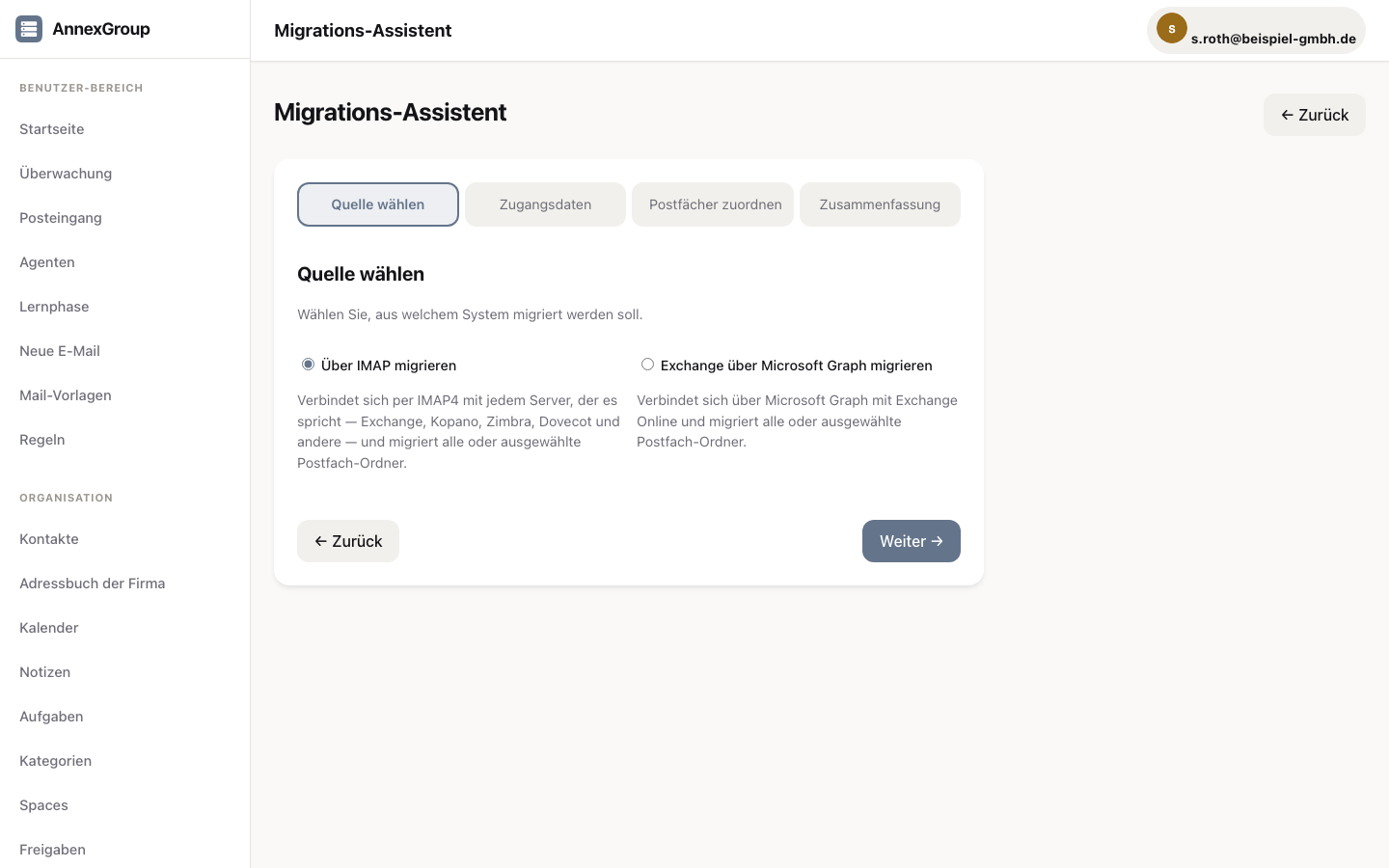
- Import assistant for mailboxes — over IMAP from any server that speaks it (Exchange, Kopano, Zimbra, Dovecot and others), from Exchange Online over Microsoft Graph, from PST and OST exports. The Graph path is built and covered by tests; we have not tried it against a real Exchange Online mailbox.
- The server fetches notes itself from an on-premise Exchange (via EWS). They do not come across from Exchange Online — Microsoft offers no interface for them.
- Deliverability check with suggestions for every DNS record you need
- Checklists that walk you through the move step by step
Administration
- Setup wizard for the first start: domain, account, DNS
- Management of domains, users and agents
- Roles: root account, administration, tenant (domain admin), user — with emergency access
- Self-check with a traffic-light display, every five minutes
- Dashboard with key figures and a live log
- Queue inspection and intervention
- Backup and restore from the interface — configuration, database and attachments
- Developer area with API overview and health checks
- Demo mode with sample data to try things out
- Updates from the admin area: signature verified, previous version kept, a way back
Archive and retention
- Retention policies per mailbox and per domain
- Automatic archival once the period is up, in the background and unattended
- Article 15 GDPR requests — everything held about a person, as an export
- Deletion and anonymisation of single messages and of whole accounts
- Archived messages stay searchable
Journaling, holds, evidence
- Journaling: a copy of every message goes to a dedicated journal mailbox — controllable per domain, filtered by sender and recipient
- Litigation hold: held messages cannot be deleted or archived — not even by the mailbox owner
- DLP: deliveries with forbidden content are rejected at delivery time — the sender receives the rejection
- eDiscovery: domain-wide search across all mailboxes, export as mbox with the full message body
- Archive mailbox: archived messages sit in a dedicated, read-only IMAP mailbox under Archive/ — every mail program finds them
These features provide the tools for retention and evidence on your own server. Whether your operation thereby meets a specific regulation depends on retention periods, processes and organisation on your side — we make no claims about that.
- The retention hold applies per mailbox, not per individual message: the reason is recorded on the hold (name and description), and every message in the mailbox is held.
- AnnexGroup does not flag commercial letters — which messages require a business marking is the operator’s decision.
- Deletion and anonymisation apply to the live store. Backups created before a deletion keep the data until the end of their retention period.
Rules for agents
- Rules for incoming and outgoing messages of the AI agents
- Read and write permissions per agent and per area
- Incubation: a new agent runs in display mode first, before it really sends
- Time windows — on which days and at which hours an agent may act
- Every decision the rules make is in the log
Security
- TLS everywhere, Let’s Encrypt built in or upload your own certificates
- Login-attempt protection: counting per address and account, temporary lockout
- Blocklists for individual addresses and network ranges (IPv4 and IPv6), with protection against locking yourself out
- Presets: strict, balanced and developer-friendly
- Cookie sessions with cross-site request protection, request rate limiting
- Log of security-relevant events
- Signed licence files, verified locally — the licence does not phone home
Included in the shipped build
People leaving Exchange ask about the small things first: can a colleague see when I am free? Will I get the meeting room? Can I write to the whole department? Those paths are built and covered by tests.
Free/busy
When is a colleague available — visible in your own calendar app, without anyone giving away what the appointment is. Only time goes out: no title, no location, no attendees.
Rooms and equipment
A meeting room has its own calendar and answers for itself: accept when free, decline when booked — naming the conflicting appointment as the reason.
Global address list
Colleagues are findable on a freshly set up device, without anyone entering contacts by hand. Limited to your own domain.
Distribution groups
One address for the whole department, nested as deeply as you like. Anyone in two subgroups still receives the mail exactly once.
Send as, send on behalf
An assistant writes from the management mailbox — either visibly on their behalf, or entirely in the name of the mailbox.
Out of office with a period
A start and an end instead of a switch you forget on the day you return. Separate texts for inside and outside, because your stand-in's extension does not belong out there.
Rules on the server
File, forward, reply, discard — even when no mail program is running.
Take public folders along
The folder structure from Exchange is mapped onto shared spaces and mailboxes. The mapping is settled before the move and can be changed.
What this means, and what it does not. These features are in the build you download today and covered by automated tests. What AnnexGroup deliberately cannot do is stated openly in the comparison table.
Dependencies: The core uses exclusively libraries under permissive licences (MIT, BSD, Apache-2.0, MPL-2.0). Copyleft components only run as separate services alongside it, such as Rspamd and ClamAV. An automated test checks this on every change.